Chess Multiplayer Unblocked — Play Free Online
More Board & Cards games

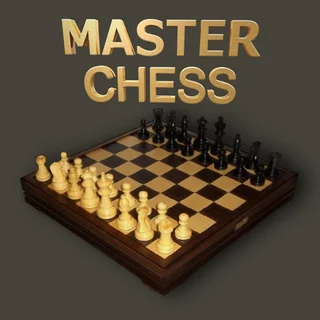





Chess Multiplayer unblocked: play Chess Multiplayer online free right here in your browser — no download, no sign-up, works on a school Chromebook.
Chess Multiplayer brings the centuries-old strategy board game to the browser with a clean interface and instant matchmaking. Whether you are trading opening lines with a friend across the table or testing your endgame calculation, the game strips away clutter so you can focus entirely on pawn structures, knight outposts, and king safety.
While action titles on Iron Snout like Bacon May Die or Gun Mayhem 2 reward twitch reflexes and chaotic button-mashing, Chess Multiplayer serves the opposite mood. It offers a purely cerebral duel where victory depends entirely on foresight, spatial awareness, and exploiting tactical mistakes.
How to play
Controlling your army is intuitive on both mouse and touchscreen setups. Click or tap any piece on your side of the board to see all legal moves highlighted with subtle markers. Tap one of the marked squares to commit your move and pass the turn to your opponent.
The standard rules of chess govern every match. Pawns advance one square forward (or two on their initial step) and capture diagonally. Knights leap over intervening pieces in an L-pattern, bishops control open diagonals, rooks dominate straight files and ranks, and the queen combines the range of both. The King steps one square in any direction. The ultimate objective is checkmate—putting the opposing king under attack with no legal escape.
Opening principles and tactics
Solid openings create comfortable middlegames. Focus on these fundamental habits during the first dozen moves of a match:
- Control the center: Stake a claim on the four central squares (d4, d5, e4, and e5) with pawns and knights to restrict enemy movement.
- Develop minor pieces early: Bring your knights and bishops into active positions before launching aggressive queen attacks that can be easily repelled.
- Castle for king safety: Tuck your king behind a wall of pawns and activate your rook along the back rank once the minor pieces have cleared.
- Double-check loose pieces: Before tapping your chosen square, scan the board to ensure your moving piece is defended and that your departure does not leave a backline piece hanging.
Similar games on Iron Snout
Players looking for head-to-head competition will find several distinct dueling formats on the site. If you prefer physics-driven party battles, Rooftop Snipers and Thumb Fighter test your instant timing and reflexes. For fast-paced arena brawling, Stick Fighter and Sumo Party deliver chaotic rounds. Chess Multiplayer stands alongside them as the ultimate battle of wits for players who prefer methodical strategy over frantic button-tapping.
Questions about Chess Multiplayer
Is Chess Multiplayer unblocked at school?
Chess Multiplayer runs in an ordinary browser tab from ironsnout.io, with nothing to download or install, so it plays on most school Chromebooks and work computers. If a network filter blocks the site, only that network's administrator can change it.
How do you move pieces in Chess Multiplayer?
Click or tap the piece you want to move to reveal its valid target squares, then click or tap any highlighted square to place it.
Can two people play Chess Multiplayer on one device?
Yes, two players can share a screen by taking turns selecting and moving their respective white and black pieces from the same browser window.
Does Chess Multiplayer require any download or account?
No download, plugin, or account registration is required to start playing. The board loads directly in modern desktop and mobile browsers.
What is the winning objective in the game?
The goal is to deliver checkmate by placing your opponent's king in an inescapable position where every possible move remains under attack.